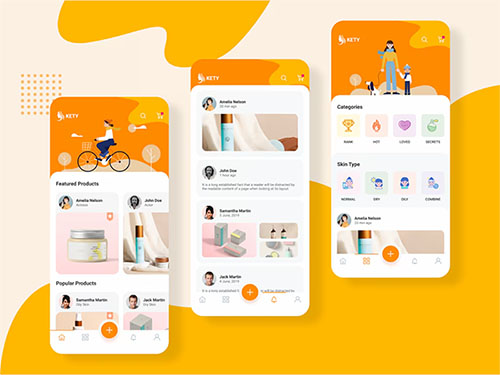
UI Design (User Interface Design) refers to the process of designing and creating the visual and interactive aspects of a digital product’s interface. It focuses on how users interact with a system, such as a website, mobile app, software, or device, and aims to create interfaces that are both aesthetically pleasing and easy to use.
Key Components of UI Design:
- Visual Design:
- Includes the use of colors, typography, imagery, and layout.
- Aims to create an interface that is visually appealing and aligns with the brand identity.
- Interactive Elements:
- Includes buttons, sliders, checkboxes, dropdowns, and other elements users interact with.
- Ensures these elements are intuitive and responsive.
- Layout and Structure:
- Organizes information and interactive elements in a logical and user-friendly way.
- Ensures consistency across screens and devices.
- Accessibility:
- Ensures the interface is usable for all people, including those with disabilities.
- Considers color contrast, font size, and keyboard navigation.
- Consistency:
- Ensures design elements and behaviors are uniform across the interface to reduce the learning curve for users.
- Feedback Mechanisms:
- Provides visual or auditory cues, such as highlighting a button when hovered or showing a success message after an action.
Goals of UI Design:
- Enhance usability by making the interface intuitive and user-friendly.
- Improve aesthetic appeal to create a positive impression and emotional connection with users.
- Support user goals by making tasks simple and efficient.
Differences Between UI and UX Design:
- UI Design is about how things look and function visually.
- UX Design (User Experience Design) focuses on the overall experience and how users feel while interacting with a product.
Both UI and UX work closely together to create seamless and enjoyable digital experiences.